|
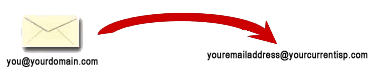
Email forwarding is perfect if you have a domain registered with
us, and want people to be able to send you email at that domain.
For example, if you are Joe, and you own "joesplumbingservice.com",
why would you want people to send email to "joesplumbing2487@hotmail.com"?
Wouldn't you rather have them send email to "joe@joesplumbingservice.com"?
Well, now you can get up to 10 email
addresses for your domain and forward them to any existing email
account, all for $5.00 per year. Other registrars charge $10
or more for this service.
What
that means is, you would set up mail to forward from "joe@joesplumbingservice.com"
to go to "joesplumbing2487@hotmail.com". Whenever you logged into
this Hotmail account, all the email sent to your
joesplumbingservice.com email would show up in your Hotmail inbox.
Activate email
forwarding today!
Click
HERE
to log in and set up email forwarding.
To activate
email forwarding
-
Log in to your
account, and click Manage.
-
Beside the
domain whose email you want to forward, click Add Email
Forwarding to purchase the email forwarding service.
-
In the Add
email forward field, enter the email address whose email you
want to forward.
-
In the
Forwards to email field, enter the address to which you want
the email sent.
-
Click Save.
-
Please allow
24-48 hours for your email to begin forwarding.
How do I remove
email-forwarding?
-
To remove
email forwarding:
-
Log in to your
account, and click Manage.
-
Beside the
domain whose email you want to
remove, click Edit Email
Forwarding. Any existing email forwards are displayed at the
top of the page.
-
Beside the
email forward that you want to remove, click remove.
-
Please allow
24-48 hours for email to stop forwarding to that address.
Some Frequently Asked Questions:
1. Can I reply to people using this email address?
With email forwarding, someone is able to send you email through
your domain. That is a function of our system. The return address
of your email you send out, though, is not a function of our
system. Most email client software (Outlook Express, Eudora, etc.)
allows you to specify your return address. This will also be the
"From" email address that appears. For help on this, you'll need
to check the help files in your software, or contact the
manufacturer or your ISP. Most web-based email (especially AOL),
will not allow you to specify your return address. In these cases,
the recipient will be able to see your "real" email address,
rather than your domain email.
2. Is there a size limit?
The limit to a single file size is 5 megs. The limit to the
amount of email is how much your current inbox will take, since we
forward everything there.
3. What if I want to cancel email forwarding?
Email-forwarding is automatically disabled after you make a DNS
change. Because it will take 24-48 hours for your DNS change to
propagate, email-forwarding will remain active while the change is
in progress, so that you do not experience any down time for your
email. Once your new DNS servers have propagated, however, and
your domain is no longer residing on our forwarding servers, that
will automatically render email-forwarding inactive.
Email-forwarding will still be in your account for this domain,
however, for the full length of the term you chose. You may, of
course, use email-forwarding again if your new hosting doesn't
work out. You merely need to change your DNS back to our
forwarding servers:
NS1.SHOPCO.COM
NS2.SHOPCO.COM
You may also, of course, abruptly terminate your forwarding by
deleting your forwarding address. Erase the email address you are
forwarding to, and submit your change. Emails to you will bounce
immediately.
4. What are the POP settings of my new email?
This is not POP email. Remember that we are forwarding everything
to your existing email account.
5. Can I change the forwarding email address?
You can update the status on your email forwarding at any time by
logging back into the domain manager. Enter your username and
password. If you have forgotten your username and password, enter
the email address you used at the time of registration, and we
will email you your username and password. Click on the "Email
Forwarding" link. Your domains without forwards will appear in the
box at the top of the page. To modify or remove an existing
forward, simply modify or remove the listing at the bottom of this
page.
6. How many emails do I get?
Your fee entitles you to up to 10 forwards. If you need more than
10, you may purchase as many more blocks of 10 as you need for the
same low rate.
7. Is there anything I can't do?
Due to traffic restrictions, we strictly prohibit the sending
of unsolicited email promoting any domain hosted on our forwarding
servers.
|